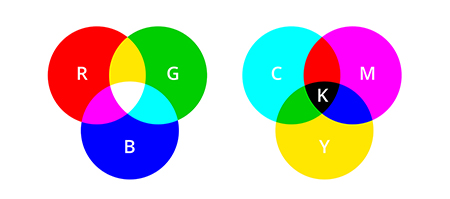
RGB and CMYK are the two most common color modes used in graphic design. While they each have advantages, certain types of projects require specific modes. It is important to understand the differences between RGB and CMYK so you can choose the one that is best for your project.
RGB is an additive color model, while CMYK is subtractive. RGB uses white as a combination of all primary colors and black as the absence of light. CMYK, on the other hand, uses white as the natural color of the print background and black as a combination of colored inks. Designers and printers use the RGB color mode for media that will be viewed on a monitor and CYMK for print materials. CMYK subtracts colors from natural white light and turns them into pigments or dyes. Printers then put these pigments onto paper in tiny cyan, magenta, yellow, and black dots – spread out or close together to create the desired colors.
CMYK (Cyan, Magenta, Yellow and Black)
- Used for print
- Make up approximately 2 million+ colors when blended
RGB (Red, Green and Blue)
- Used for the web and monitors
- Can produce millions of color intensities when blended
Hexidecimal or HEX colors are expressed as a six-digit combination of numbers and letters defined by its mix of red, green, and blue (RGB). Software is needed to convert RGB into Hexidecimal colors.
Do you need help with creating or managing images! Give us a call at 847.541.4626 or send an email to johnw@incomarservices.com.
All image files are not created equal.
Depending on where and how you plan to use an image, different types of files are needed. A basic understanding of the different types of image files – and when and where to use them –will ensure seamless collaboration and efficient delivery.
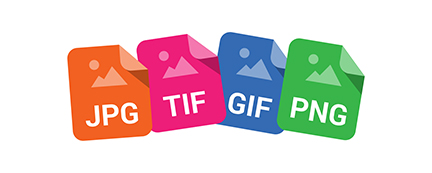
Four common image file types:
JPEG or JPG (Joint Photographic Experts Group)
- Widely used format
- Best for web on a white background
- Smallest file size when saved at 72 DPI
- Easily attaches to emails or uploaded to platforms with file size restrictions
TIFF or TIF (Tagged Image File Format)
- Highest quality
- Largest file size
- Best for print applications
- Files are often too large to attach to an email or use on the web
GIF (Graphic Interchange Format)
- Used to create animations for the web
- Not suitable for print
- Limited color options
PNG (Portable Network Graphics)
- Exclusively for web use, not print application
- Best option when you need a transparent background
- Better image quality than JPEGs
Do you need help developing an effective image file strategy? Give us a call at 847.541.4626 or send an email to johnw@incomarservices.com.
At Incomar Services it’s our job to create and manage strategic content for our customers. We assist in the Strategy, Creation, and Integration of products and to promote them to existing and potential customers through a variety of sources.
Case in point… Diversified Woodcrafts was looking for a user-friendly way to display their A-frame Table when it was upgraded with dozens of combinations, creating over 80,000 unique SKUs.
With the ability to choose multiple options, from steel frame sizes, top sizes, top swatches, edge bands, steel colors, foot or glide types and hooks, but no way to preview the product, it quickly became a challenge to avoid confusing customers.
This is where Incomar Servies joined the conversation! We provided what Diversified Woodcrafts’ customers and company needed, a user-friendly tool that easily allows the customer to configure the table they want while sitting at their computer.
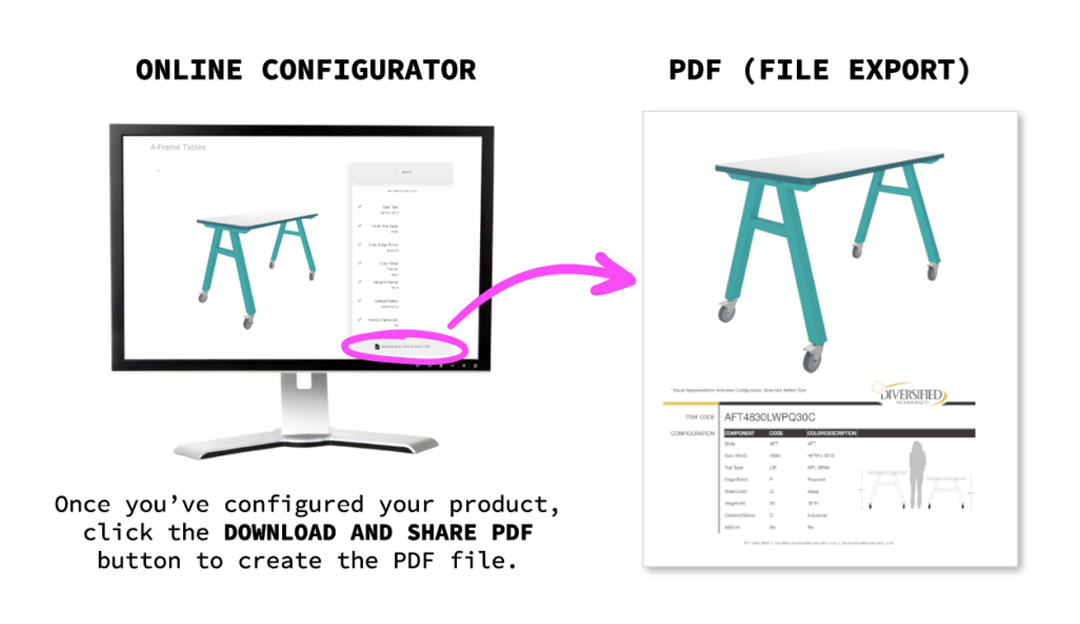
The OPC by Incomar (Online Product Configurator) is designed to provide a visual representation of the colors, top materials and caster options.
Once the AFT is configured, the customer can simply review the Summary and export a PDF spec sheet that shows the product configuration, line listed, and the unique product code. They can simply print it out or forward it to a territory manager for purchase.
Transforming the complexities of configuration to an intuitive process gives Incomar’s partners a platform that puts their customers in charge of their selections while providing accuracy and peace of mind.
Tap into the limitless possibilities with the OPC by Incomar.
What Is Digital Asset Management?
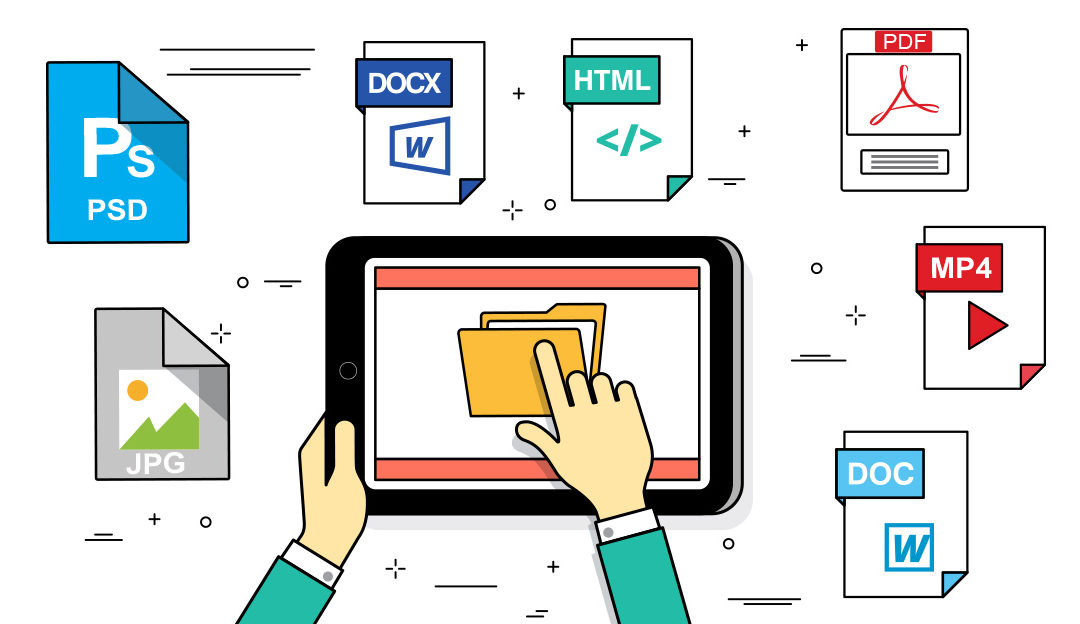
Believe it or not, you’re most likely familiar with the basic concepts of digital asset management (DAM). Digital Asset Management is all about saving, naming and sharing images, video files, audio files, and so on. To be successful your digital assets should be stored and cataloged in a centralized location that is easy to access. Sort of like storing files on your computer, but a bit more complicated. DropBox and Google Drive users will, for the most part, understand.
Why Use DAM Software?
DAM systems are implemented so users can easily and quickly navigate to the file they are looking for. The DAM library should be simple, fast and logical. Here are several factors to a DAM’s effectiveness:
- Metadata – a set of data that describes the asset. Metadata structure must effectively organize your assets.
- Permissions – Permissions allow certain users access to certain assets. Access will range from open to highly secure depending on the user level and asset use. This becomes more important when sharing outside your organization.
- Interface – Keep it simple and fast! If the interface is cumbersome or slow, you can’t make use of the DAM tool. The user should be able to quickly identify what they need.
Top Five DAM Tools (IMHO)
Regardless of what tool you choose, the importance of saving, naming and sharing images, video files, audio files and so on it towards the top of the list. If you can’t manage your files, you’re spending valuable time and resources searching for files instead of customers.
What is Incomar Services?
Simply put, INCOMAR stands for INtegrated COntent MARketing.
It’s our job to create and manage strategic content for you. We help you show off your products to existing and potential customers through our variety of services. We believe that there is no such thing as a boring product, and we represent many products great and small.
INtegrated Approach
We approach every project with INTEGRATION in mind. Who is the target audience? Where will the photography or video assets be placed? How will the assets be used? The project can only be successful if we know the answers to these questions. And the only way to get the answers is through a strategy session.
Impactful, Relevant COntent
Your products are the heroes in our photo and video productions, where we highlight all of their features and benefits, and offer solutions to the viewer’s problems. Having a detailed image strategy and product videos give you an advantage against your competitors, driving visibility and conversion for your products across the digital landscape.
Strategic MARketing
Now that we know the WHO, WHAT, WHEN and HOW, we develop a strategy that answers the WHERE question. In today’s digital landscape, we have almost unlimited options. Depending on the client and product, through an integrated approach, we target our messages and assets to a specific audience in a way that delivers the best results.
Intrigued? Give us a call to learn more at (847) 541-4626 or contact John Wondrasek at johnw@incomarservices.com.
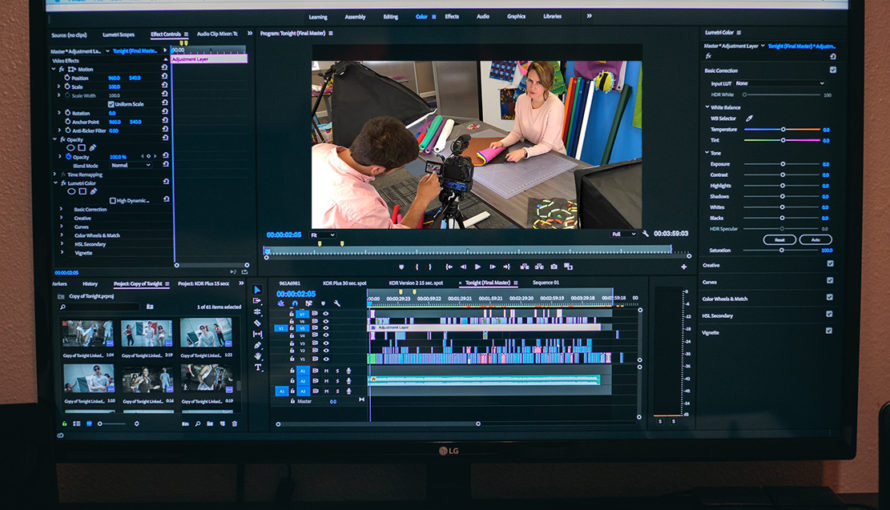
Over the years, we have worked with many manufacturers to produce dynamic, engaging videos that drive product sales on their websites and on resellers’ online platforms. While every product video is different, we have identified several key characteristics of the best product videos. Use the following checklist to determine whether your video assets are as effective as they might be.
Does the video thoroughly explain the product?
Product videos deliver a 24/7 online sales presentation. They should tell a comprehensive product story, informing viewers about all features and benefits, describing the product’s unique value proposition and demonstrating how the product is used or works.
Is the content relevant to the end user?
Deep knowledge of your audience and their needs should inform decisions about what content to include in the product video. Clearly articulating and demonstrating product benefits helps end users relate to the product and understand how it will meet their needs.
Are the footage and sound high quality?
The look and sound of a product video strongly influences the end user’s decision making process. The quality of the video influences the viewer’s perception of the quality of the product. Good video quality gives the viewer a positive first impression of the product, while poor video quality can result in a bad impression.
Proper lighting will make a product look more appealing, while fresh, bright background music provides an upbeat viewer experience. If using a voice-over narrator or on-camera talent, be sure to use someone who has experience and can provide a professional delivery.
Is the length appropriate for the content?
There’s no ideal length for a product video. Your video needs to be as long as necessary to deliver the complete product story. Remember, you’re not making a movie with interesting plot twists.
Do the opening and closing statements speak the same language?
Keep the overall context and tone of the video consistent from beginning to end. Tell one seamless story rather than pieces of different stories stuck together.
Does the video follow a Feature | Benefit | Solution structure?
Videos communicate the product message most effectively when they are organized around this proven Feature | Benefit | Solution structure and tell a comprehensive product story.
Need help developing an effective image strategy for your products? Give us a call at 847-541-4626 or send an email to JohnW@IncomarServices.com.